Export your data securely
MasterGantt stores your data in the browser (localStorage). To back them up, transfer them, or share them, you have three export formats. The .mgp format encrypts your data with a password.
The 3 export formats
JSON (.json) — Full export in plain text. Readable, importable on another computer. Ideal for personal backups.
CSV (.csv) — Tasks, resources, or projects as a spreadsheet. Compatible with Excel, Google Sheets, LibreOffice.
Encrypted (.mgp) — JSON export encrypted with AES-256-GCM and a password. The file is unreadable without the password. Essential for sending data by email or storing them on a cloud.
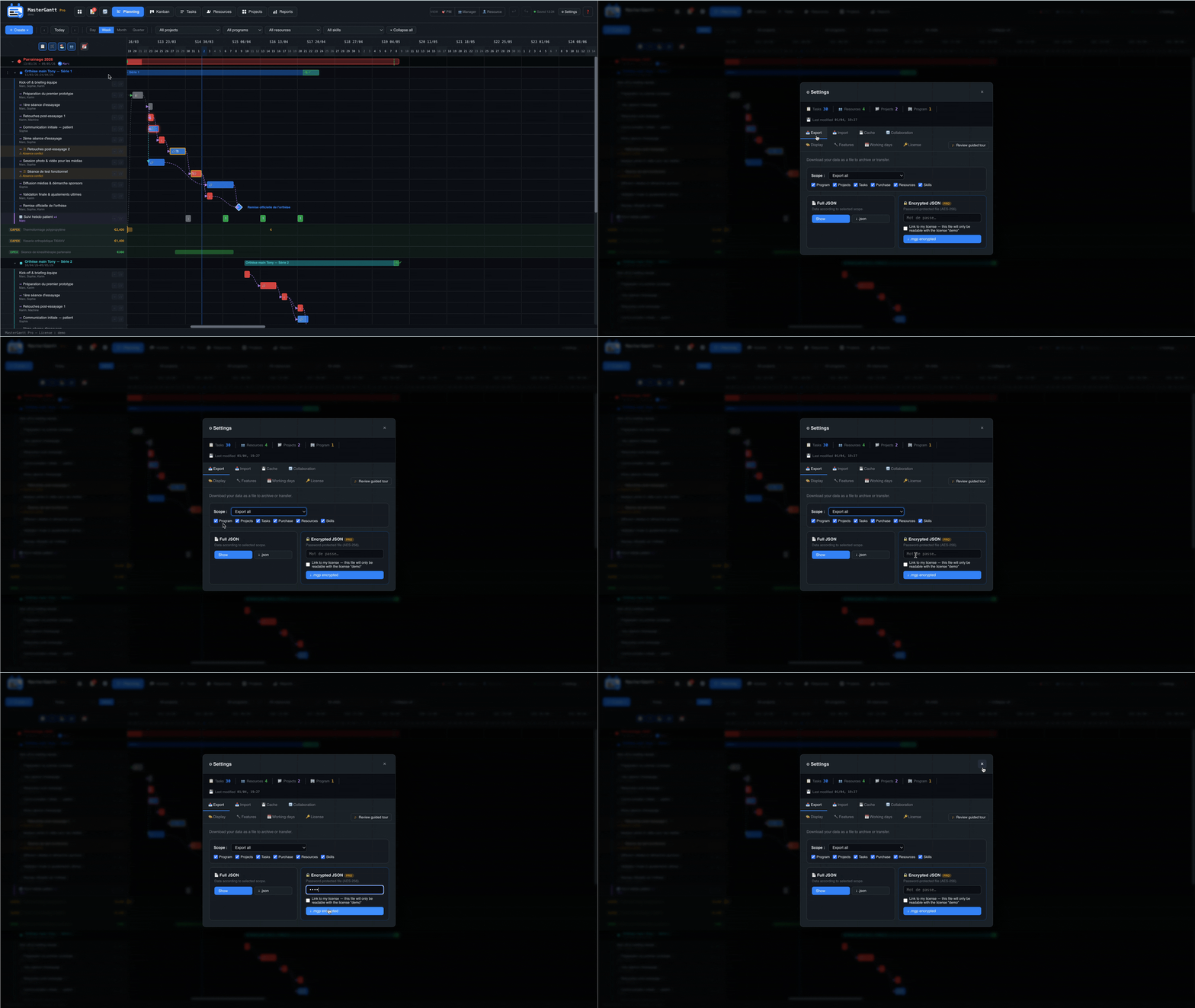
1. Export as encrypted JSON (.mgp)
mastergantt.mgp is downloaded. It is encrypted — no one can read it without the password.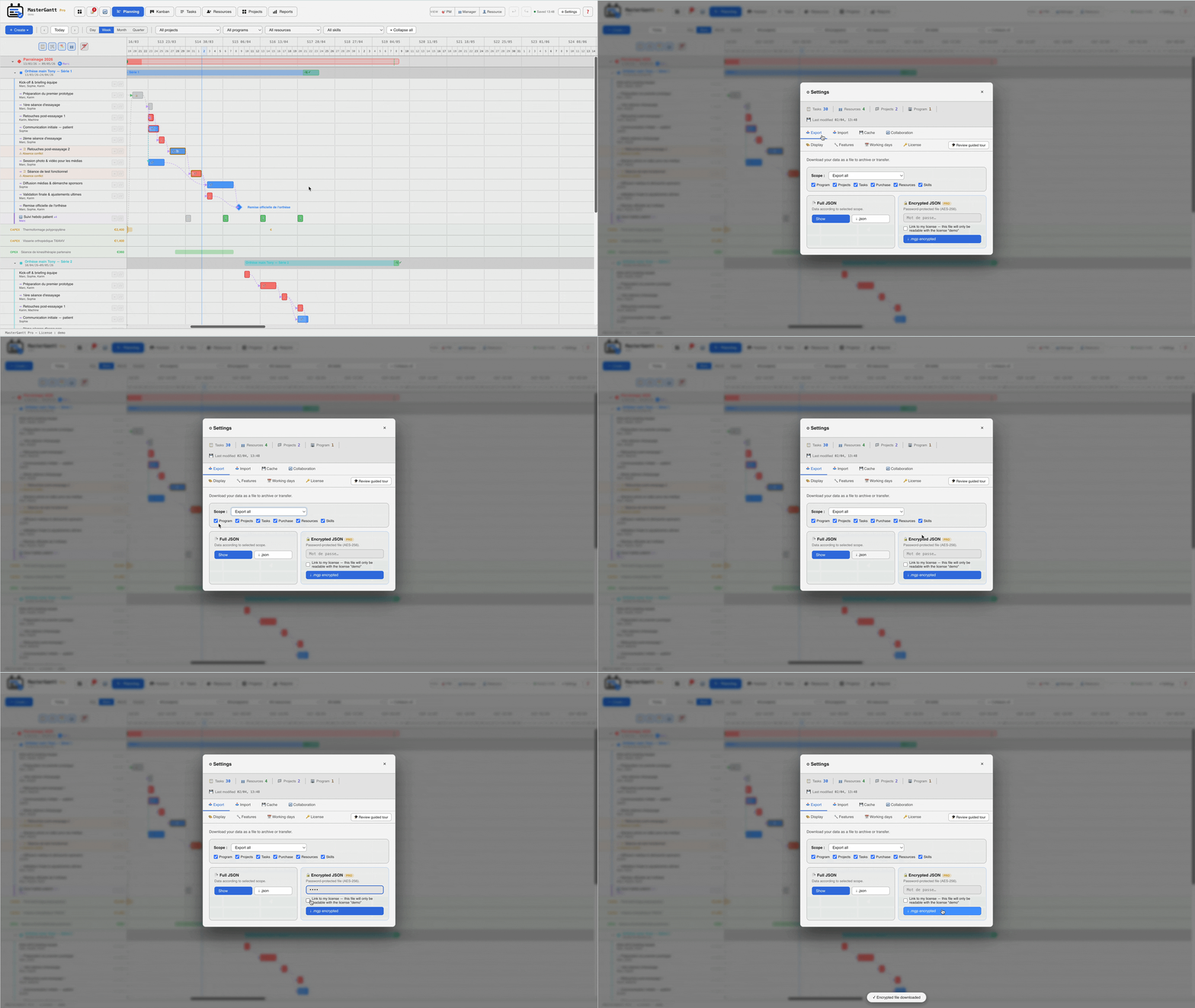
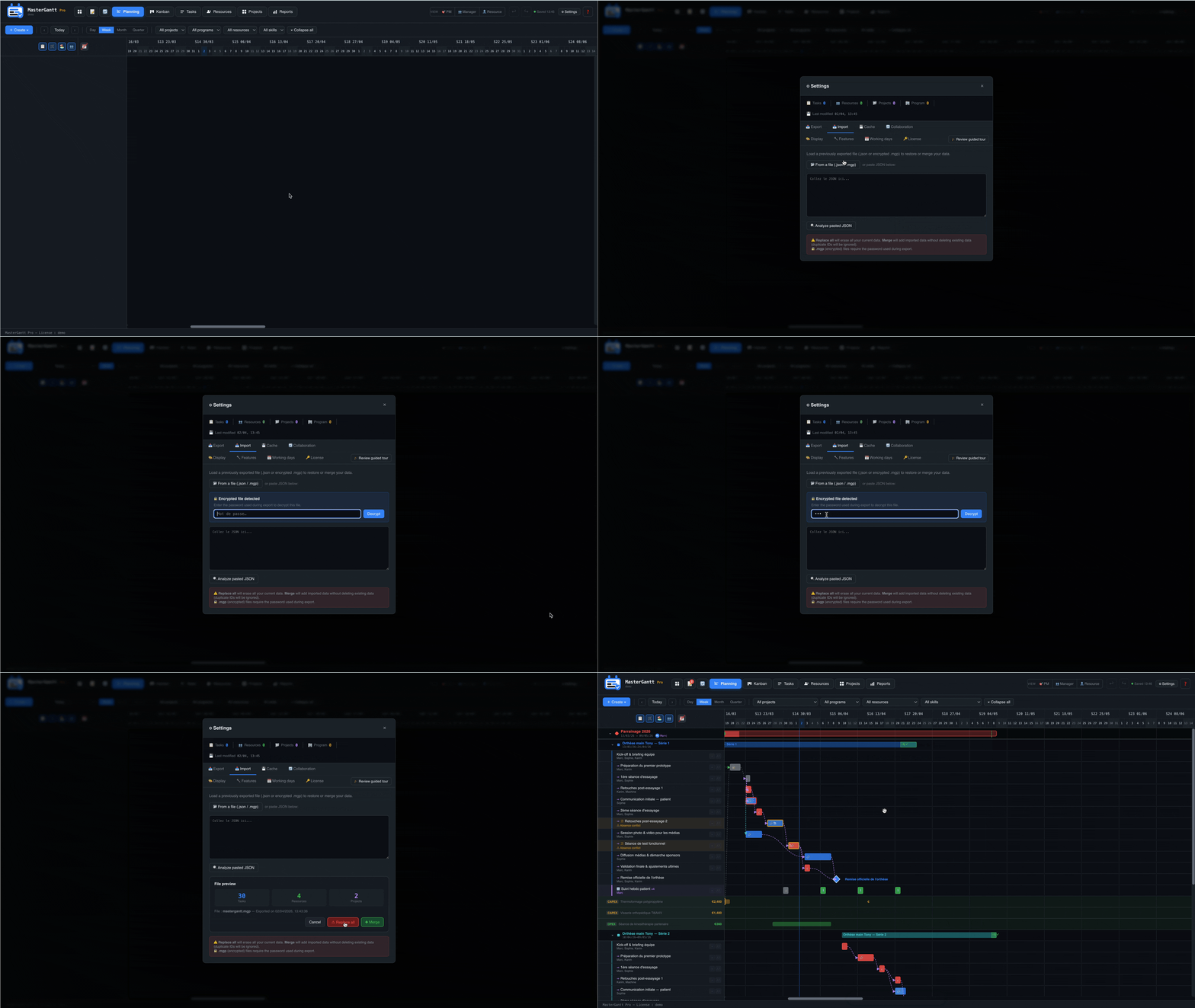
2. Import an .mgp file
.mgp file.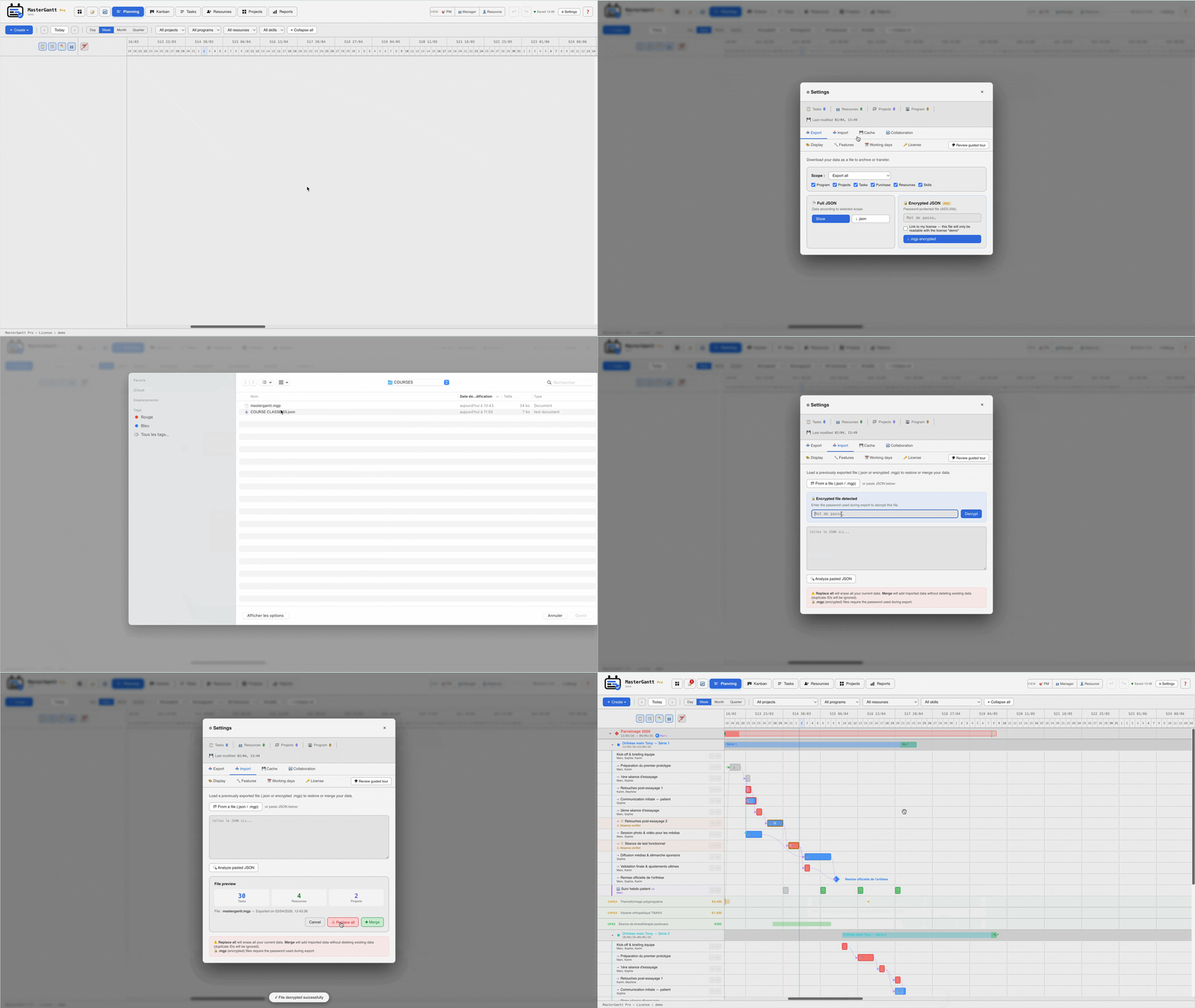
🔒 How does it work technically?
Encryption uses the browser's native Web Crypto API — no external library.
Key derivation: Your password is transformed into an encryption key via PBKDF2 (100,000 iterations, SHA-256).
Encryption: Data is encrypted with AES-256-GCM, a standard used by governments and banks.
Integrity: GCM (Galois/Counter Mode) ensures the file has not been tampered with. Any alteration makes decryption impossible.
3. Link the export to your license
In the Pro edition, you can check the Link to license option when exporting. The .mgp file can only be imported on a MasterGantt instance activated with the same license. Ideal for sharing within a company.
.mgp format for any transfer by email or cloud storage. Even if the file is intercepted, it is unreadable without your password.